Invite a team member
Managing your team's access is crucial for maintaining security and efficient workflow. Adding new users to your account is a straightforward process that puts you in control of your organisation's access.
Here’s how to invite your team:
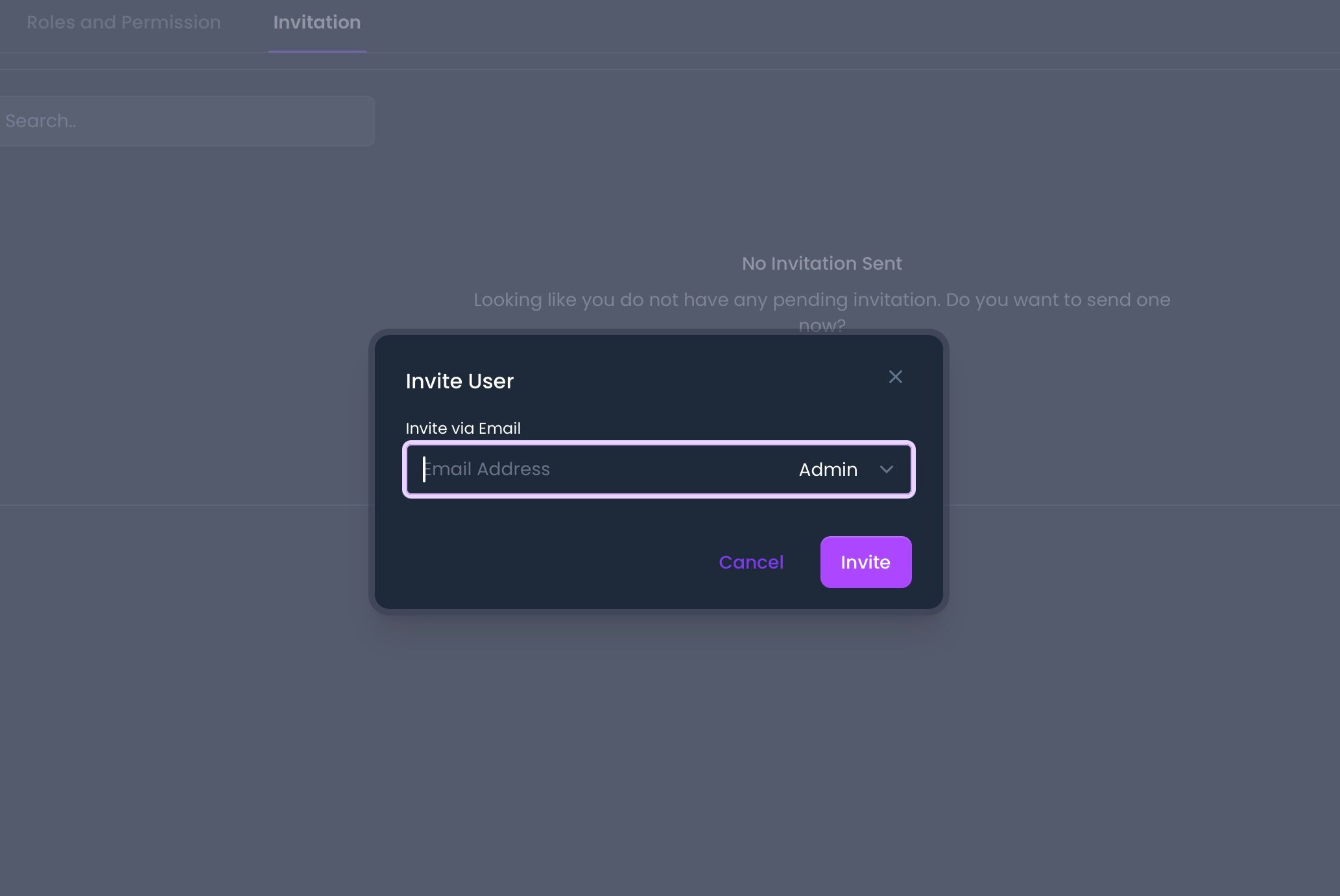
Go to User & Roles under your account name (business name) at the top right of the screen
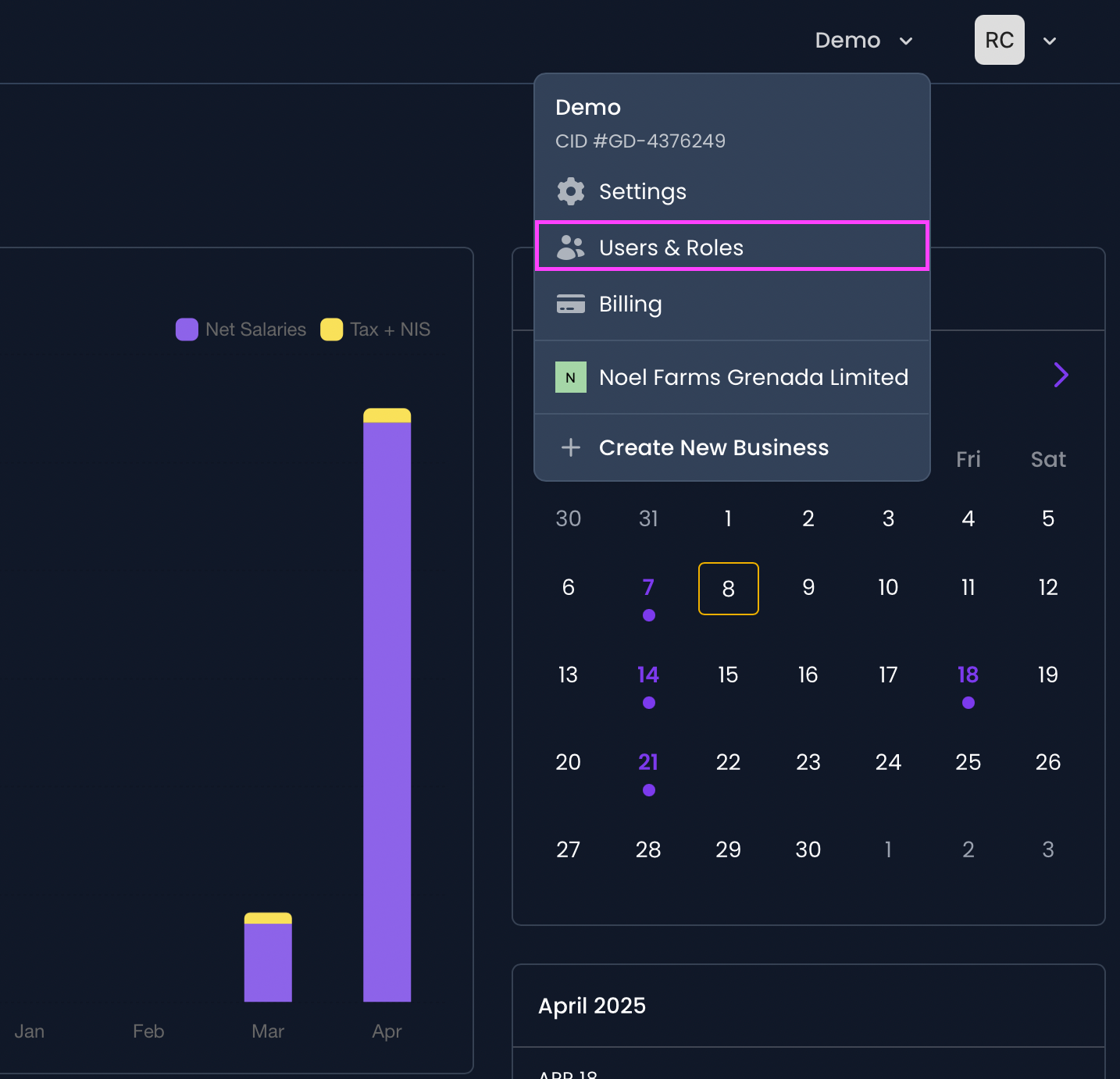
Click on the Invitation tab
Click on Invite User
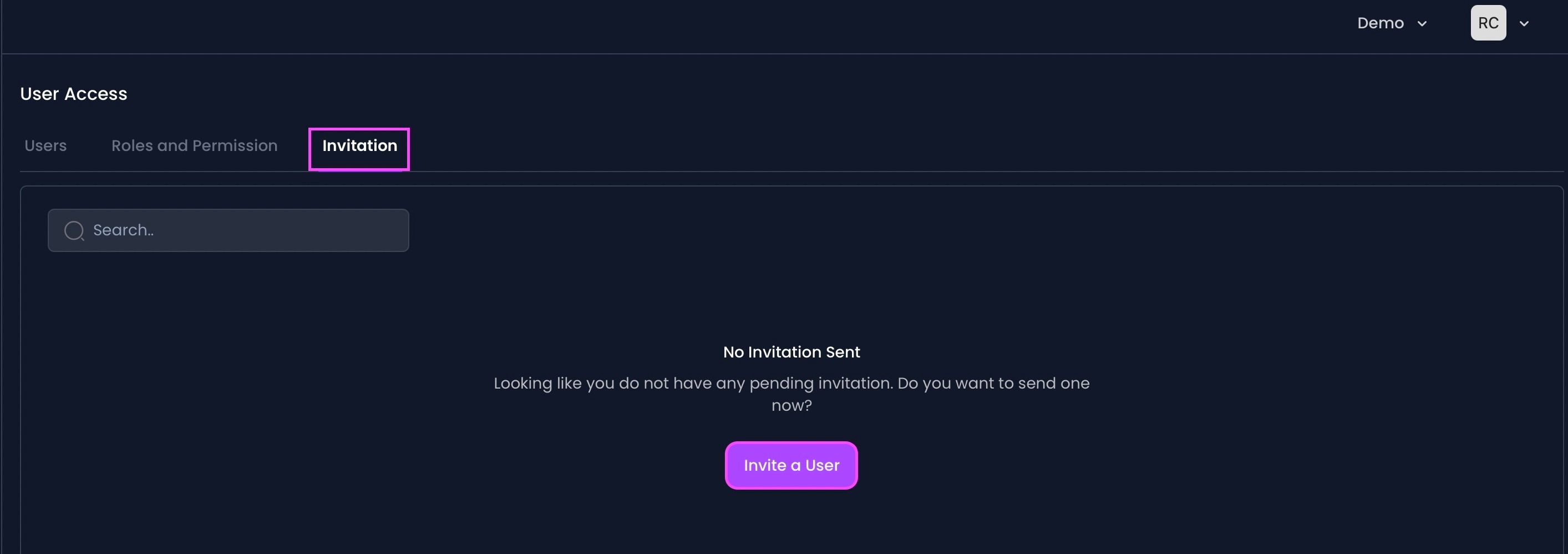
Enter the user's email address and select the role.
Click Invite at the bottom right.